Got it installed, so far, not noticeable difference
Hello,
Can you put a screenshot of dxdiag and pack the source for your modified version somewhere?
Also, how did you deal with the cache changes?
Thanks,
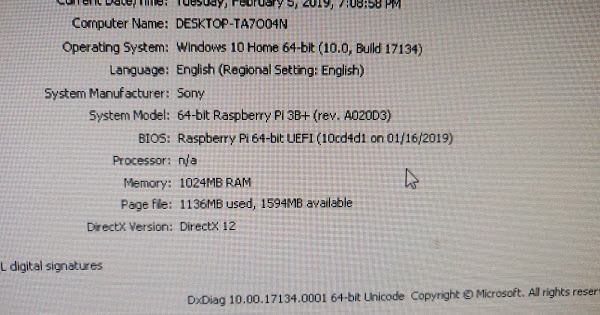
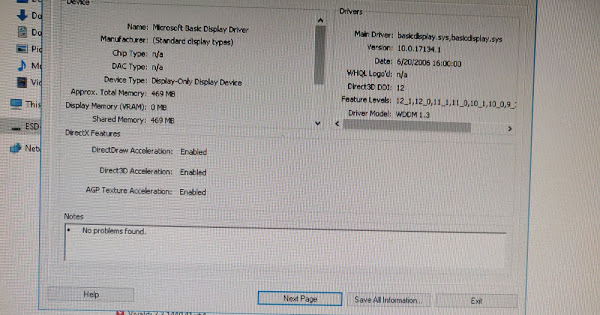
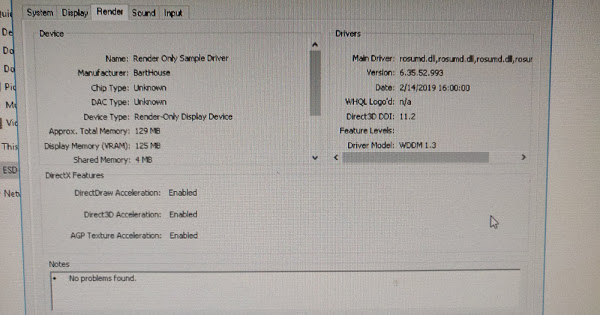
The last result without a Feature Level shown is because the UMD as built here depends on the VS2017 redistributable… so of course it doesn’t all load.
Install that and it should blow up.
Edit: well, it didn’t blow up, maybe trying display instead of render only is the next step.
Thank you! This is a step in the right direction.
In this case, what is the difference between Render only and Display modes?
Thanks for doing this work!
 on the up side we get a feature list
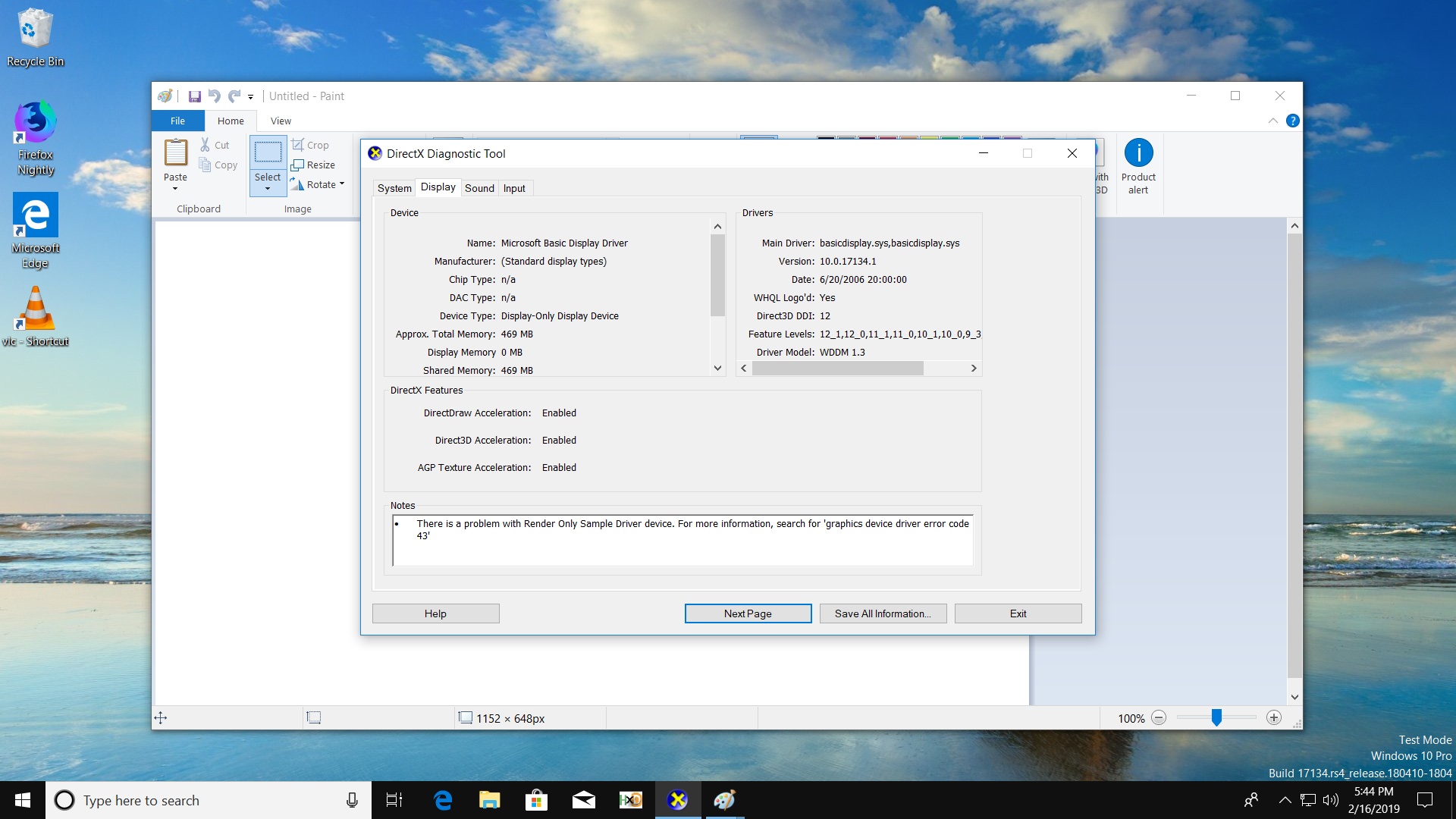
I built this driver more than a year ago, and you should statically link in the MSVC runtime or install the VS2017 redistribuables*.
Also, it’s in such a state currently that nothing useful works with it… not even on IoT Core. Here, you decided to disable XAML rendering for the driver in the postinst .bat, but that’s just a hack, nothing proper.
*and by the way, handling WoW properly should be done, but it’s way too early to care about that.
About display driver instead of render, it’s mailbox changes, that can be handled later, nothing forces us to bother right now.
I do have vc_redist.arm64.exe installed on my test system. This driver is in need of lots and lots of work but it is a start. I’m thinking that if I can get them to install properly and at the very least run the dolphin test app then we could continue development on them. I guess it is better then starting from scratch.
Hi,
For the redistribuables, it’s better to use static linking for the C++ runtimes. On Qualcomm Windows Phone devices, dynamic linking for those was used at first, but they transitioned to static when making the switch to desktop.
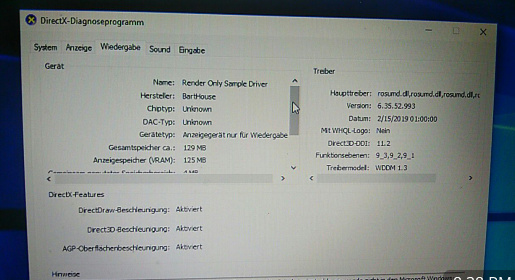
When this is shown with the 9_x feature levels, you should be able to run test apps without any further bugs than those present in the IoT Core version of the driver.
Also, I think that using Mesa’s Direct3D 9 support (Gallium Nine) might work better, as Windows 10 still supports WDDM 1.0 with D3D9Ex.
Thanks,
I think that feature list is from the Microsoft basic display adapter, as it’s dated in 06 as basic display adapter driver is usually

Why does this point to the DLL so many times in the same line?
edit:
Also, is this build including the changes from here?
Going by https://github.com/Microsoft/graphics-driver-samples/issues/25 That’s what we would need to have Direct2D support, or having windows rendered via the GPU. (at least I’m guessing)
first entry is DX9, then 10, then 11, then 12
I bet that the PR there isn’t included, as it didn’t even reach the MS main branches.
Do we know why? From what I could tell it was updated to all the reviews, but then they didn’t merge it and it fell behind all the commits
It’s only a few commits behind really compared to master, not too far away.
I got the pr driver to compile and its running with ForceWARP set to 0. I am not sure if its working properly though.
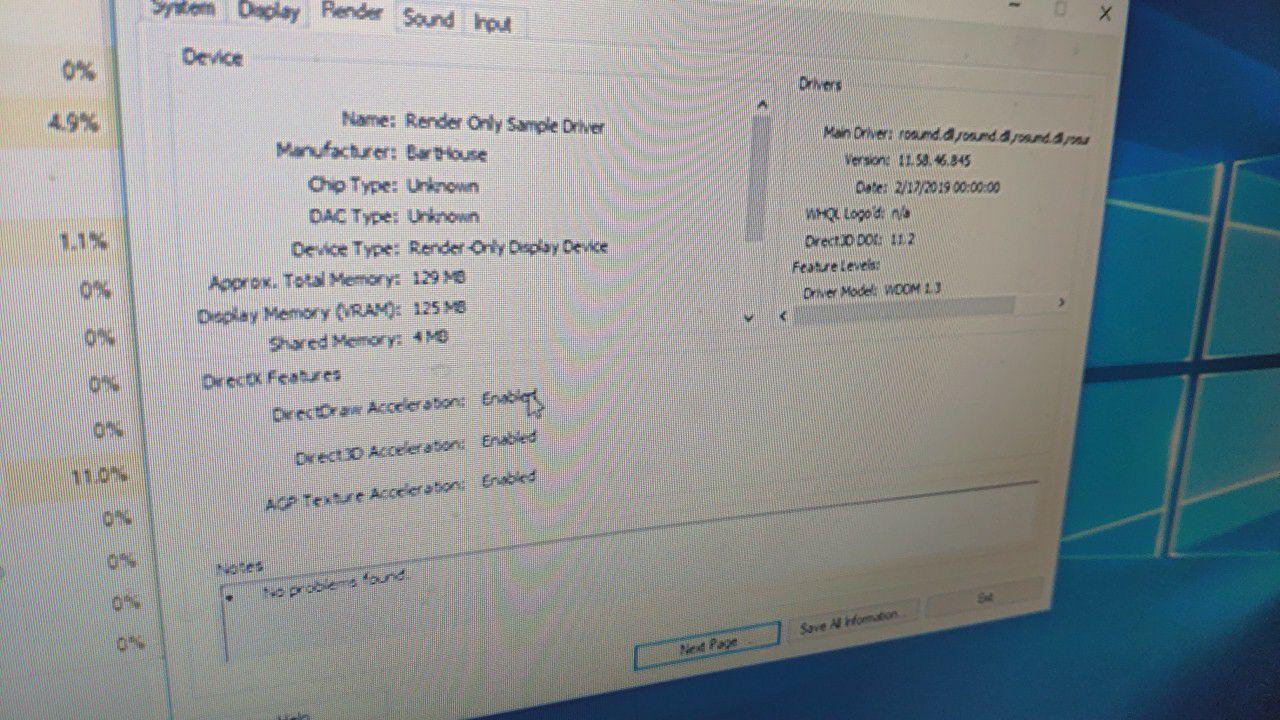
EDIT: i noticed that the feature level was not there.
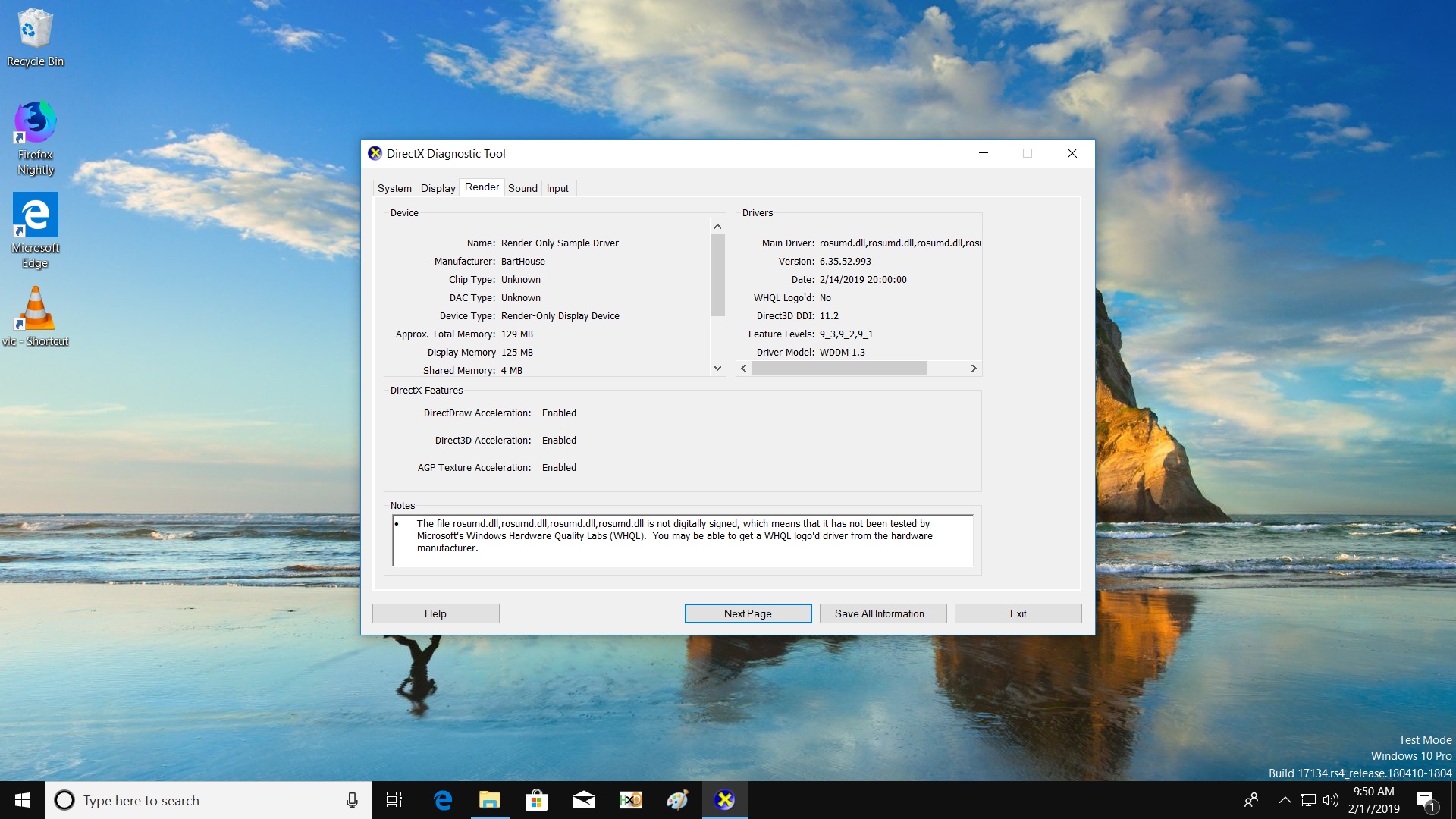
Is that with ForceWARP set to 0? I got the system to come up with it set to that once, but it refuses to give me a screen again.
yes. Now there’s the removing ForceWARP from the post-install bat.
Warning: you need the PR for texture support merged or it’ll get… nowhere.
Also, it’s heavily unstable.